Local by default
Audio is recorded in memory, transcribed on the device, and discarded. Optional anonymous app telemetry can be turned off in Settings and does not include dictated audio or text.
Private voice-to-text for people and teams. Dictovo does not run commands or act for you; it turns speech into text locally.
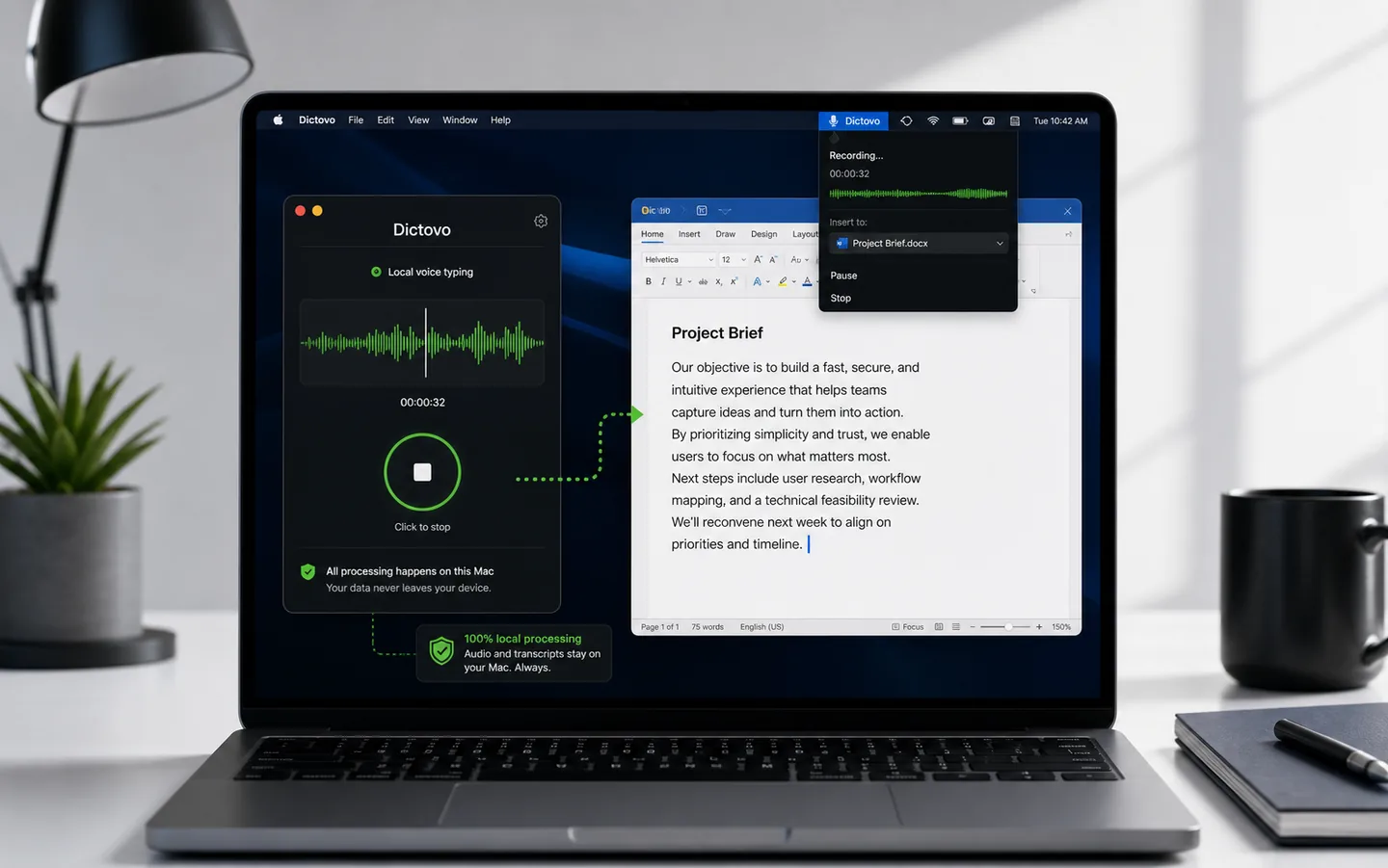
Audio is processed locally
Spoken
send marc a clear update tomorrow about the planning and ask if the yearly license works for his team
Dictovo transcribes
Send Marc a clear update tomorrow about the planning and ask if the yearly license works for his team.
Real product demo
A real capture of Dictovo turning a synthetic English voice sample into text locally. The processing wait is visibly shortened; the transcript itself is unedited.
Download DictovoPrivacy model
Dictovo is designed for people and companies who cannot treat voice data as disposable cloud traffic. In the desktop app, speech and dictated text stay on your device. Language files come in; your content does not go out.
Audio is recorded in memory, transcribed on the device, and discarded. Optional anonymous app telemetry can be turned off in Settings and does not include dictated audio or text.
After the first language download, dictation keeps working offline. Extra world languages download local language files once when you choose them.
Transcripts, dictionary entries, and history stay local to the user or business. Optional license checks do not include audio or dictated text.
How it works
Dictovo sits in the background and types into the app you are already using. Email, ChatGPT, Notion, Slack, Word, browser fields: Dictovo inserts text. Optional local text tools can clean up, translate, or transform selected text when you explicitly trigger them; Dictovo does not click, send, or navigate for you.
Hold your shortcut for push-to-talk, or double-tap for handsfree dictation.
Supported languages are processed on your device. Extra world languages are enabled after a one-time local language download.
Text is inserted into the active field. Optional cleanup, translation, and selected-text transforms are advanced features where supported.
Dictovo Pro
Record a conversation on your Mac or Windows computer. Dictovo processes it on the device and prepares a speaker transcript, summary, decisions and action items.
Use your computer microphone for a conversation around the same table.
Capture system audio together with your own microphone on supported desktop setups.
Tell participants before recording. Check important names, decisions and action items before sharing the report.
The onboarding test moves to Thursday. I will prepare the test accounts.
I will check the release notes and send the final checklist.
The team moved the onboarding test and divided the release preparation.
Decision: run the onboarding test on Thursday.
Action: Mila prepares accounts; Jonas checks and shares the checklist.
Availability
Choose your desktop platform. Version, system requirement, file size and checksum stay visible for a careful install.
Checking current Dictovo releases...
Current Apple Silicon release with signed updates and local language models.
DownloadCurrent 64-bit release for Windows 10 and 11.
DownloadComing later. After release, it uses an activation slot within your existing plan.
DownloadIn development and not currently available as a download.
DownloadLaunch pricing
Personal is for daily dictation, Pro adds desktop Meetings and a second active device, and Team provides a separate managed code per purchased member license. Checkout is the final source for price and limits.
For daily local speech to text on Mac and Windows, with yearly licensing, account access, and invoices.
For people who want local dictation and a usable meeting report on two active desktop devices.
For SMB teams that want a separate, centrally managed license code for every assigned member.
Questions
No. In the desktop app, speech and dictated text stay on the device. Network traffic is limited to one-time language downloads and an optional license check that does not include content.
Dictovo is available for Mac and Windows. iOS and Android are planned after the desktop product is stable.
The desktop app supports local languages. Common European languages work locally after setup; extra world languages can be enabled with a one-time local language download.
Dictovo does not click, send, browse, or run workflows for you. The core is local voice-to-text. Optional local modes can clean up, translate, or transform selected text only when you explicitly trigger them.
Yes. It is especially useful for teams that write a lot: client emails, CRM notes, prompts, meeting notes, support replies and internal updates. The benefit is faster input with less cloud exposure.
The plans shown in Pricing and checkout are currently available. Each checkout shows the applicable price, device limit and terms before payment.